

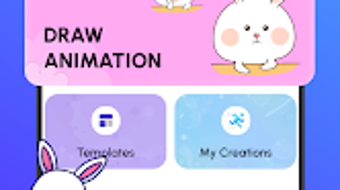
Description
Download Anime Creator Draw Animations – anime, draw, animation, create, cartoon, free, mobile app, flipbook, GIF, MP4
Overview
Anime Creator Draw Animations is a free Android application designed for individuals interested in animation and creative storytelling. The software enables users to transform simple doodles into dynamic frame-by-frame animations, offering a digital experience similar to traditional flipbooks. It serves as a tool for aspiring animators, hobbyists, and creative enthusiasts who wish to explore character movement and scene development without requiring advanced technical skills. The app’s core purpose lies in simplifying the animation process, making it accessible to users of all experience levels, from beginners to those with a growing interest in animation.
Real-world usage scenarios include creating short animated stories, designing animated avatars, or producing content for social media. Users can build characters and scenes from scratch, adding depth to their narratives through sequential drawing. The ability to export animations as GIFs or MP4 files supports sharing across platforms, enhancing the app’s utility for personal and casual creative projects. While the developer, Anime Creator, has not provided additional background information, the app’s focus on intuitive design and creative freedom suggests a targeted effort to lower the barrier to entry in digital animation.
Key Features & Capabilities
- Frame-by-Frame Animation – Users can create animations by drawing each frame individually, allowing for precise control over character movement and scene transitions. This method supports detailed storytelling and expressive animation.
- Character and Scene Creation – The app provides tools for designing original characters and custom scenes, enabling users to build unique animated narratives from the ground up.
- Export to GIF and MP4 – Completed animations can be saved and shared in widely supported formats, ensuring compatibility with social media platforms and messaging apps.
- User-Friendly Interface – The design emphasizes simplicity and ease of navigation, allowing users to focus on creativity rather than technical complexity.
- Flipbook-Style Workflow – The animation process mimics traditional flipbooks, offering a tactile and intuitive way to visualize motion over time.
These features support a variety of creative applications, such as producing animated greetings, short clips for online content, or visual storytelling for personal projects. The frame-by-frame approach allows for high customization, while the export options ensure broad accessibility of the final output.
User Interface, Workflow & Performance
The user interface of Anime Creator Draw Animations is structured to prioritize accessibility and visual clarity. Navigation appears to be streamlined, with essential tools and functions placed within easy reach. The workflow follows a logical sequence: sketching, animating frame by frame, reviewing motion, and exporting the final product. This structured approach supports efficient content creation, particularly for users new to animation.
While specific performance data was not provided, the app’s lightweight size of 12.5 MB suggests optimized resource usage, which may contribute to smooth operation on a range of Android devices. The developer did not specify resource usage details, including CPU or RAM behavior. Performance observations are based on general software behavior patterns. Stability during extended use was not documented, but the app’s simplicity implies a low risk of crashes or freezes under normal conditions.
Compatibility & System Requirements
Anime Creator Draw Animations is designed for Android devices, with a version release dated May 10, 2024. The application has a file size of 12.5 MB, indicating a compact installation footprint. The developer did not specify exact system requirements, including minimum Android version, processor specifications, or memory needs. Compatibility information was partially provided, with the operating system clearly listed as Android.
Users should verify device compatibility through the official app store before installation. The absence of detailed hardware or software prerequisites means that performance may vary across different devices. The developer did not provide additional information regarding supported screen resolutions or touch input optimization.
Pros and Cons
Pros
- Free to download and use with no hidden costs
- Intuitive interface suitable for beginners and casual users
- Supports frame-by-frame animation for detailed creative control
- Export options include GIF and MP4 for easy sharing
- Encourages creativity through character and scene design tools
Cons
- No information provided on system requirements or device compatibility beyond Android
- Limited to mobile platforms; no desktop or tablet version available
- No mention of cloud sync or project backup features
- Exact performance details, such as frame rate or memory usage, were not specified
- Developer background and support resources are not publicly available
FAQ Section
Is Anime Creator Draw Animations available for Windows or Mac?
The software is currently available only for Android devices. There is no official desktop version for Windows or Mac.
Can I use this app offline?
Yes, the app does not require an internet connection to create or export animations, making it suitable for offline use.
Is the app safe to download and install?
As a free Android app, it is available through official app stores. Users should download it from trusted sources to ensure security.
How do I export my animations?
Completed animations can be saved and shared in GIF or MP4 format directly from the app’s export menu.
Does the app support updates and new features?
As the app is regularly maintained, updates are expected to introduce new tools and improvements. Users should check the app store for the latest version.
Final Thoughts
Anime Creator Draw Animations delivers a focused and accessible entry point into the world of animation for Android users. Its free model, combined with a straightforward interface and core animation features, makes it ideal for beginners and creative hobbyists. The ability to create and export animations in common formats enhances its practicality for casual content creation and social sharing. While limitations exist—such as the lack of desktop support and incomplete system requirements—the app fulfills its intended purpose effectively within its scope.
For those interested in exploring animation through doodling and storytelling, this tool offers a low-barrier, enjoyable experience. It stands out as a lightweight, creative utility that empowers users to bring their imagination to life. Download Anime Creator Draw Animations now.
Guides & Tutorials for Anime Creator Draw Animations
How to install Anime Creator Draw Animations
- Click the Preview / Download button above.
- Once redirected, accept the terms and click Install.
- Wait for the Anime Creator Draw Animations download to finish on your device.
How to use Anime Creator Draw Animations
This software is primarily used for its core features described above. Open the app after installation to explore its capabilities.
User Reviews for Anime Creator Draw Animations 0
No reviews found





